
One tap
per set.
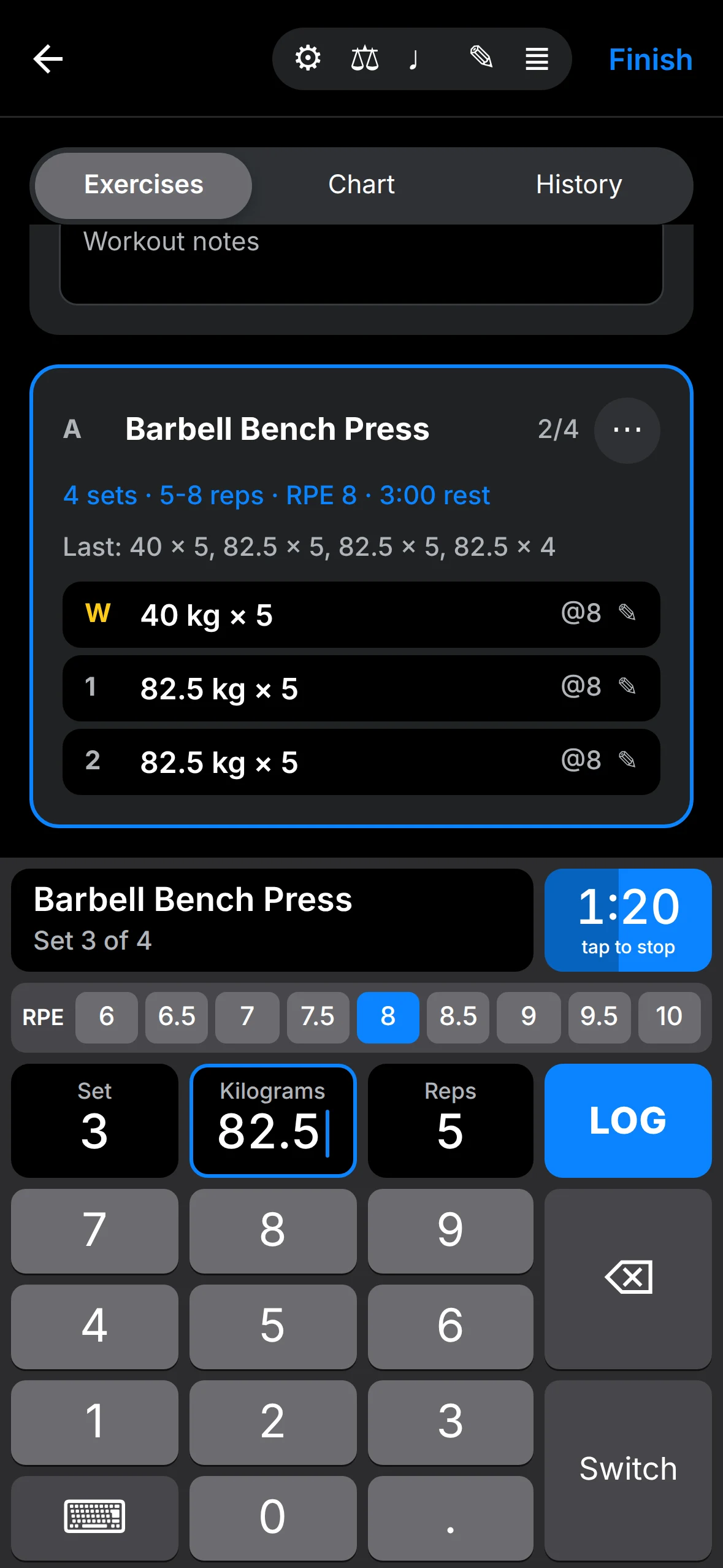
GainMode is a strength training log for iPhone. Your next weight and reps are already filled in, so logging a set takes one tap. Then the rest timer starts, and you get back to the bar.
Barbell Bench Press
- W40 kg × 5
- 182.5 kg × 5
- 282.5 kg × 5
Weight and reps are already filled in. Tap LOG.
In testing. Not yet on the App Store.
Built for the gym floor
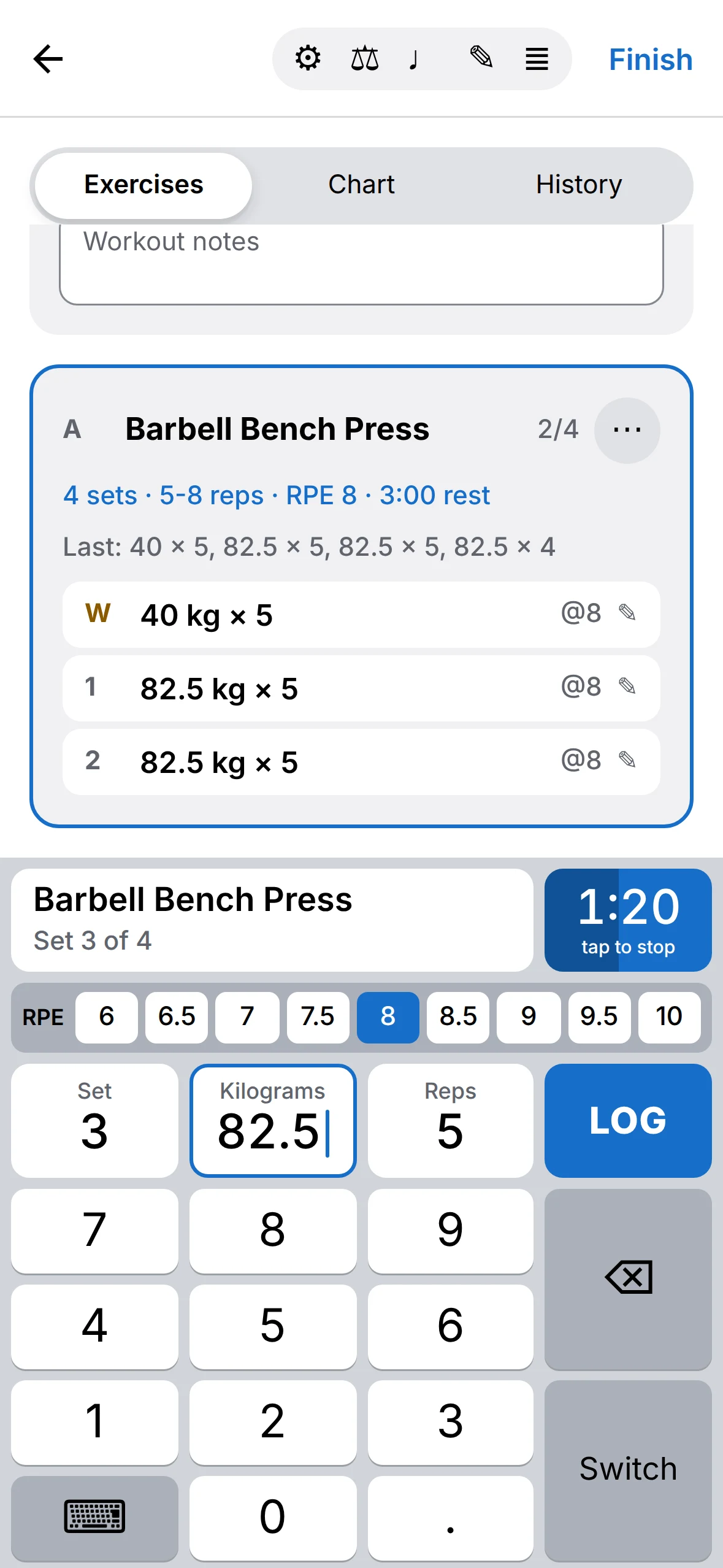
A big keypad that looks like the iPhone number pad, with the values you'll probably lift already in place. Type one digit and it replaces the suggestion. Swipe the keypad away when you want to see the whole workout.
Records as they happen
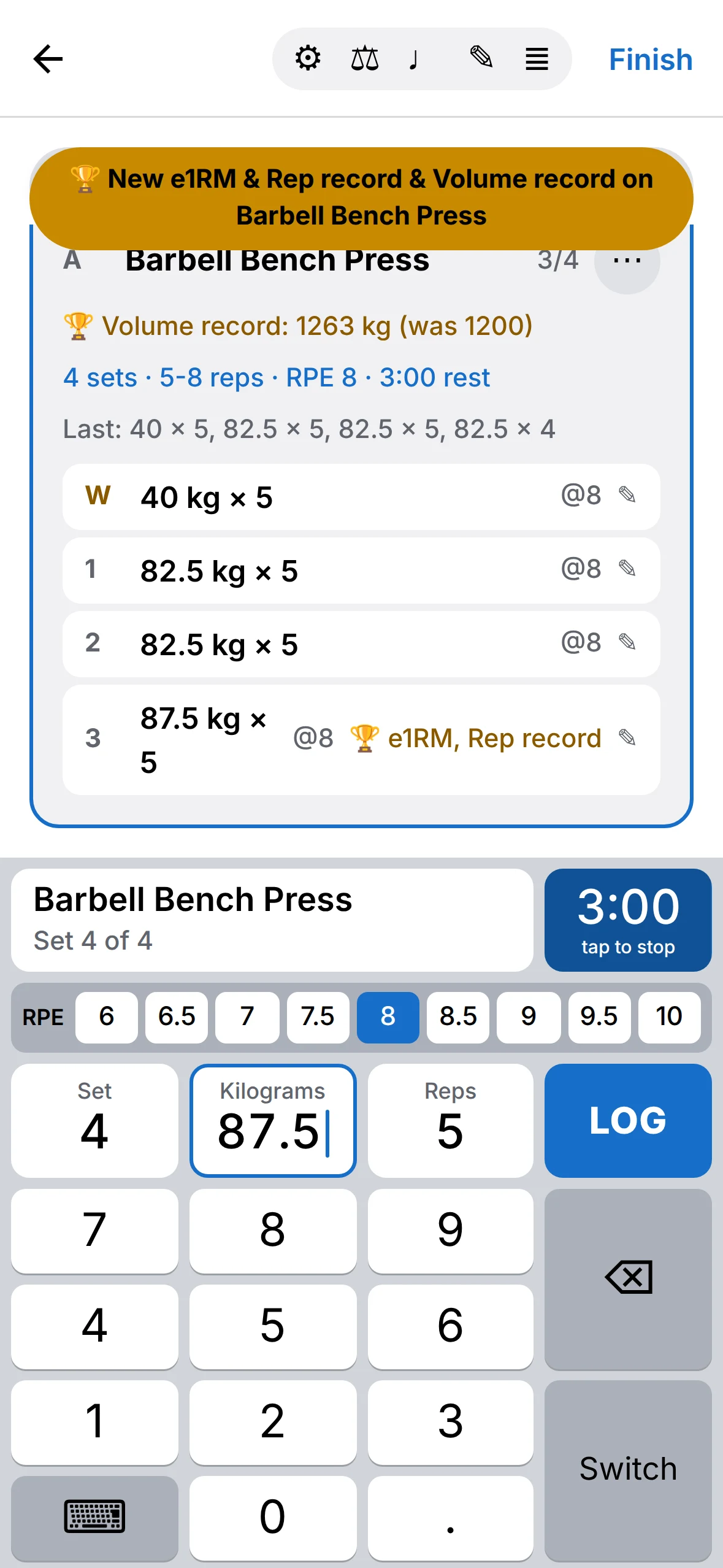
A toast appears the moment you beat your e1RM, a rep record or your volume for an exercise. The set gets a trophy.
Change anything later
Tap a logged set to fix it or delete it. Mark warm-ups, add RPE, write a note for the exercise or the whole workout.
Plate calculator
See the plates to load on each side for your bar and the plates you own, and what can't be loaded.
Tempo metronome
For tempo work, it counts each rep through: lower, pause, lift, squeeze.
Improvise or follow a plan
Start an empty workout and add exercises as you go, or start a routine. Type a new name to create an exercise on the spot.
Last time, right there
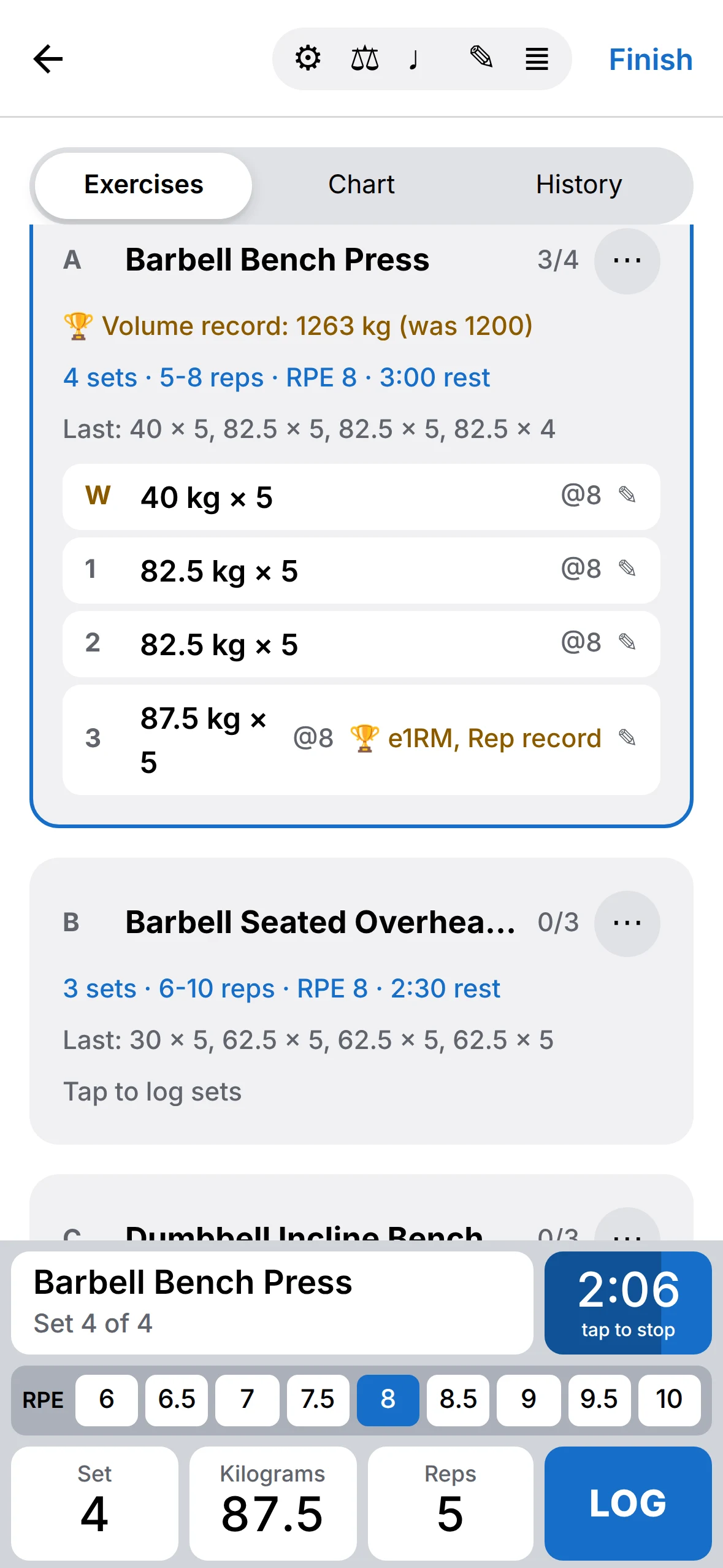
Every exercise shows what you lifted last session. Switch to Chart or History without leaving the workout.
Weight, reps or time
Each exercise tracks weight and reps, reps, time, or weight and time. Body-weight and assisted lifts count your body weight.
Supersets
Group exercises into supersets and giant sets, in a routine or in the middle of a workout.
A rest timer you can hear
Log a set and rest starts by itself, with the time your routine asks for. Two presets and plus and minus buttons cover the rest.
- Countdown beeps for the last 3, 5 or 10 seconds, with a choice of sounds and their own volume.
- Your music keeps playing. It gets quieter while the beeps play.
- Lock Screen and Dynamic Island show the time left and your next set.
- A notification when rest is over, even with the phone locked.
- Vibration on each countdown second, in four styles, if you prefer.
- The screen stays on while the workout is open.
Routines that know the plan
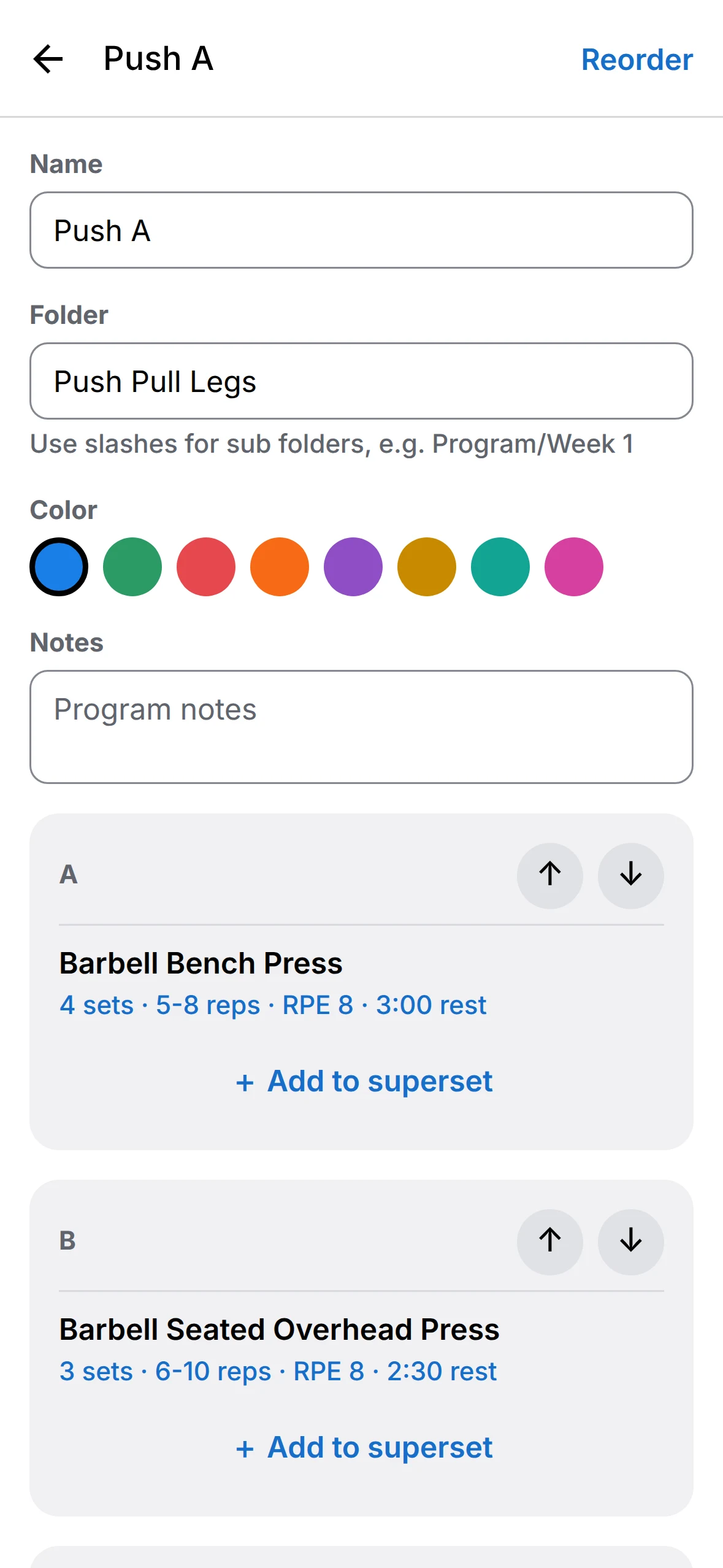
Give each exercise a target, and GainMode shows it while you lift and fills in your sets from it.
- Sets and reps
- Fixed, a range like 5-8, or as many as you can, like 5+.
- Intensity
- A percentage of your training max, or a rep max.
- Effort and pace
- RPE, tempo and rest per exercise.
- Training max
- Updates from your best e1RM, by hand or automatically.
- Organised
- Folders and sub folders, colours, notes, supersets and giant sets.
- Deload
- Start any routine lighter, with fewer sets or shorter rest.
Share a routine as text
Every routine can be exported as plain text that you can read, edit anywhere and send to a training partner. Copy text like this and paste it into GainMode to import it.
## Pull A/Push Pull LegsA. Barbell Deadlift, 3 sets, 5 reps, 85% intensity, 3:00 rest, update auto_1rm_higherB. Pull-Up, 3+ sets, 6+ reps, RPE 8, 2:00 restC1. Barbell Bent Over Row, 3 sets, 8-10 reps, tempo 2010, 1:30 restC2. Dumbbell Hammer Curl, 3 sets, 10-12 reps, 1:30 restSee the work add up
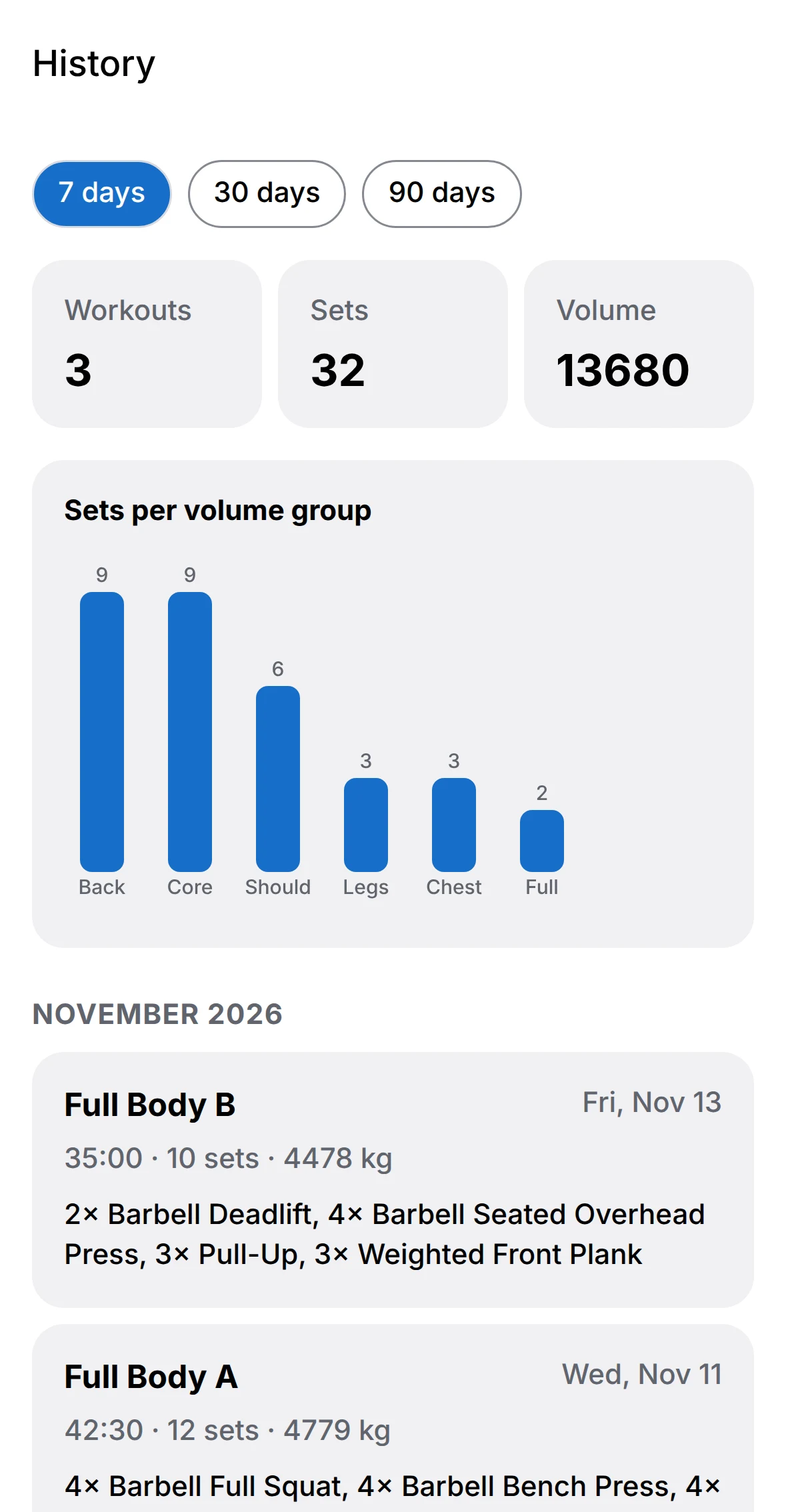
Every exercise has its own charts and records, and the History tab sums up your last 7, 30 or 90 days.
Rep recordsYour best weight for every rep count, and a record history you can filter.
Body weightLog it, chart it, and it counts in your body-weight lifts.
Apple HealthOptional. Save workouts and body weight to Health and read your weight from it.
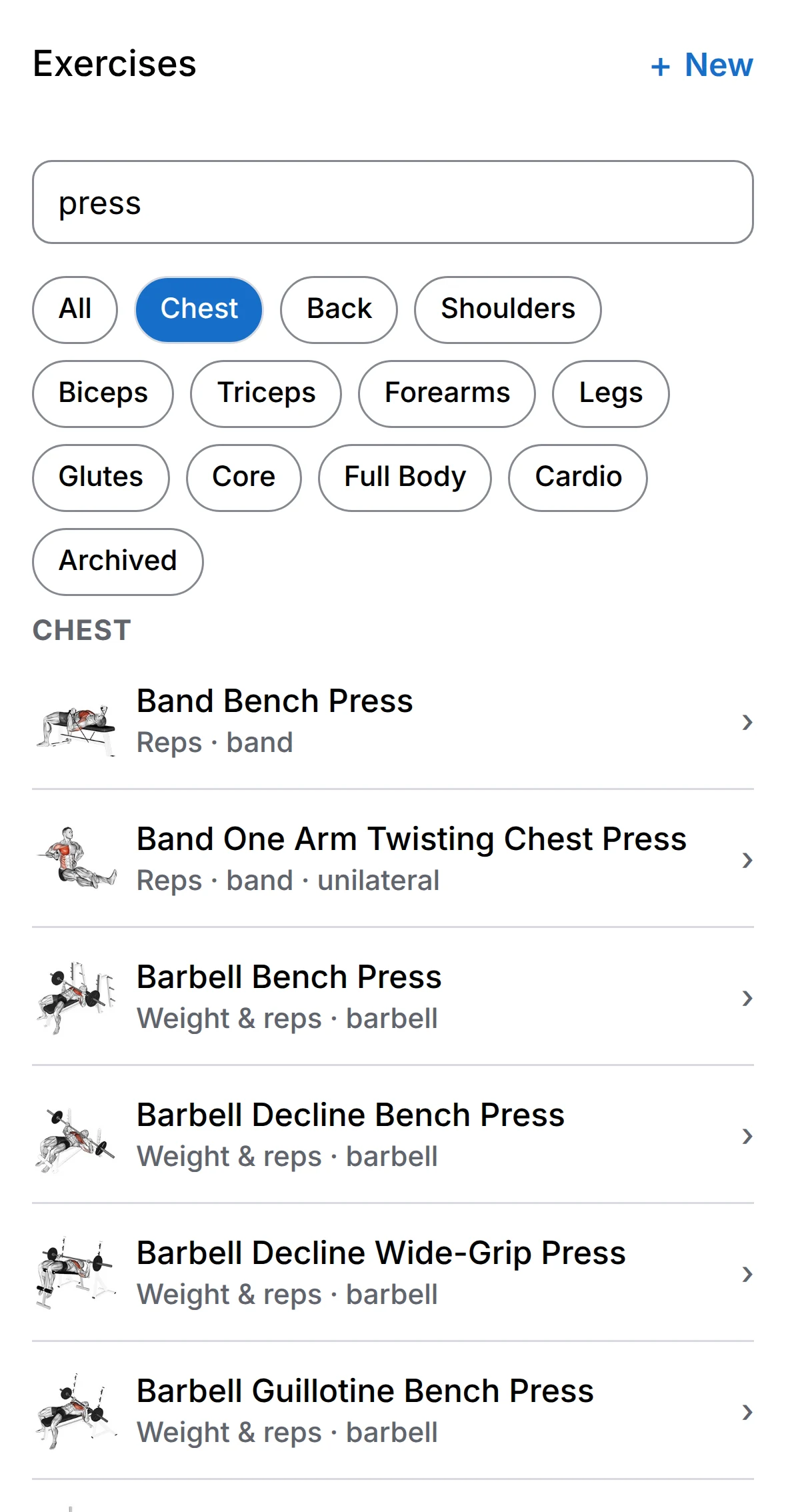
1,300+ exercises
Each with an animated demo, steps and the muscles it works. Add your own, or rename and adjust any of them.
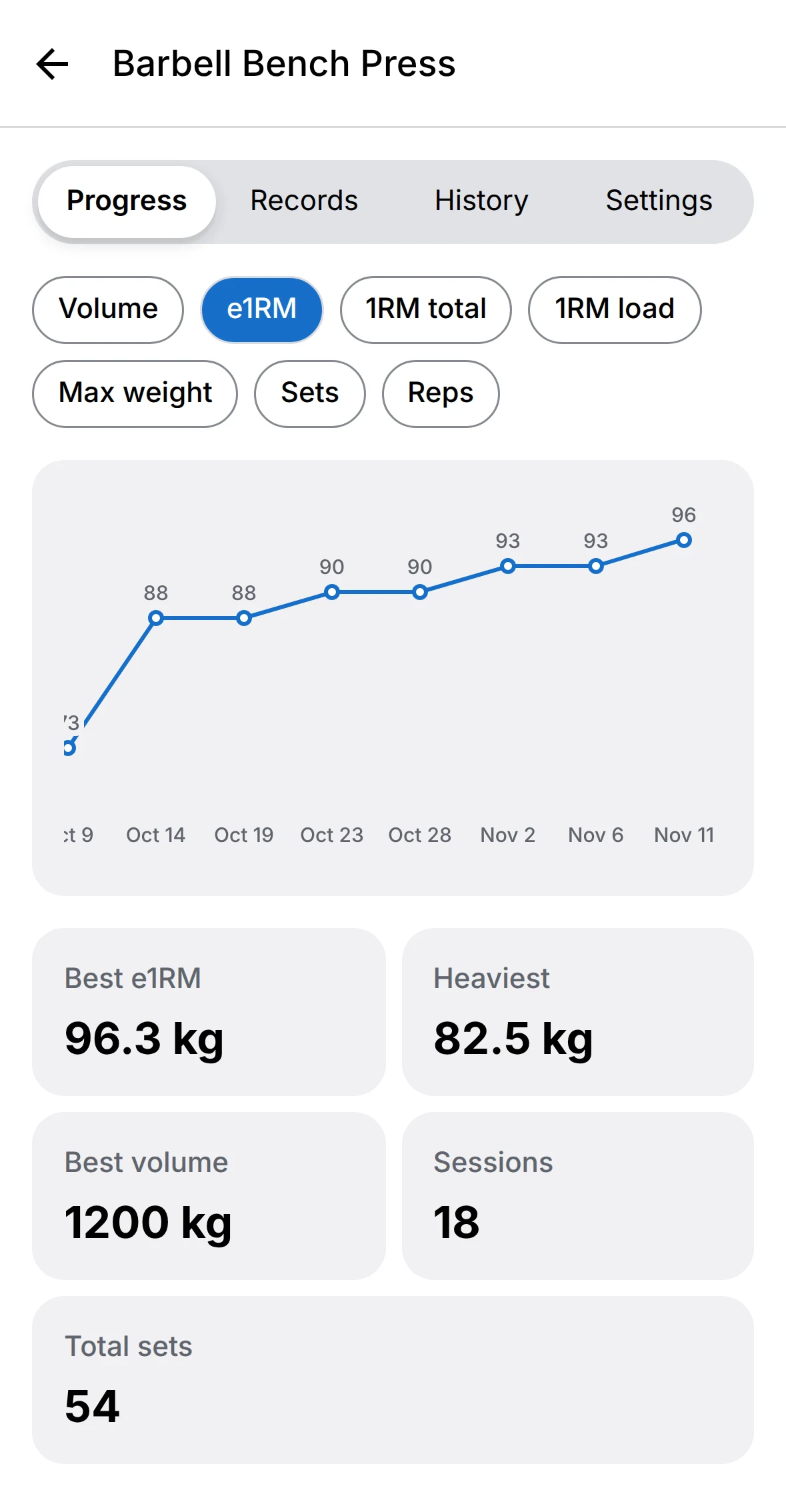
Charts per exercise
e1RM, max weight, volume, sets and reps, as bars or lines. Timed exercises chart time.
History
Workouts, sets and volume for 7, 30 or 90 days, sets per muscle group, and every finished workout.
Make it yours
Pick a colour theme. Each one has a light and a dark version. The app icon on your Home Screen changes to match.
GainMode speaks English, Deutsch, Italiano, Español and Français, including the names and instructions of every built-in exercise. Weights work in kilograms or pounds, and switching converts everything you've logged.
Your log stays on your phone
No account to create and no sign-in. No ads and no tracking. Your workouts are stored on your iPhone, and they work without a connection.
Daily backups
A backup file in Files on each day you open the app. The last 14 are kept, and they're part of your iPhone's iCloud backup.
Back up and restore
Save a full backup as a file or text whenever you like, and restore it on a new phone.
Bring your history
Import workouts from a CSV file exported by another app. Columns are matched for you.
Export anything
Workouts, exercises and routines as CSV files.